If you'd rather check a number than take it, start here.

The whole calculation: what we bring to it, what comes back, what's yours and what isn't, and what happens when it's off.

1What it's aiming at

This is the part we bring. Every plant we hold a profile for is being fed toward a target — not one number, a set of them, element by element. The single ppm figure you see is the total; the profile is what the total is made of. And the target isn't the same all the way through: a lettuce three weeks in is aimed at something different from the same lettuce on day one.

A tank can hold more than one plant, at more than one stage, and the feed is worked out across all of them. The answer caps at whichever plant can take the least: a head of lettuce sharing a tank with a mature tomato gets fed at the lettuce's strength — the tomato could take more and won't get it. It's why growers put like with like.

That's why two reservoirs the same size don't get the same answer — not unless what's in them is the same plants, at the same stages.
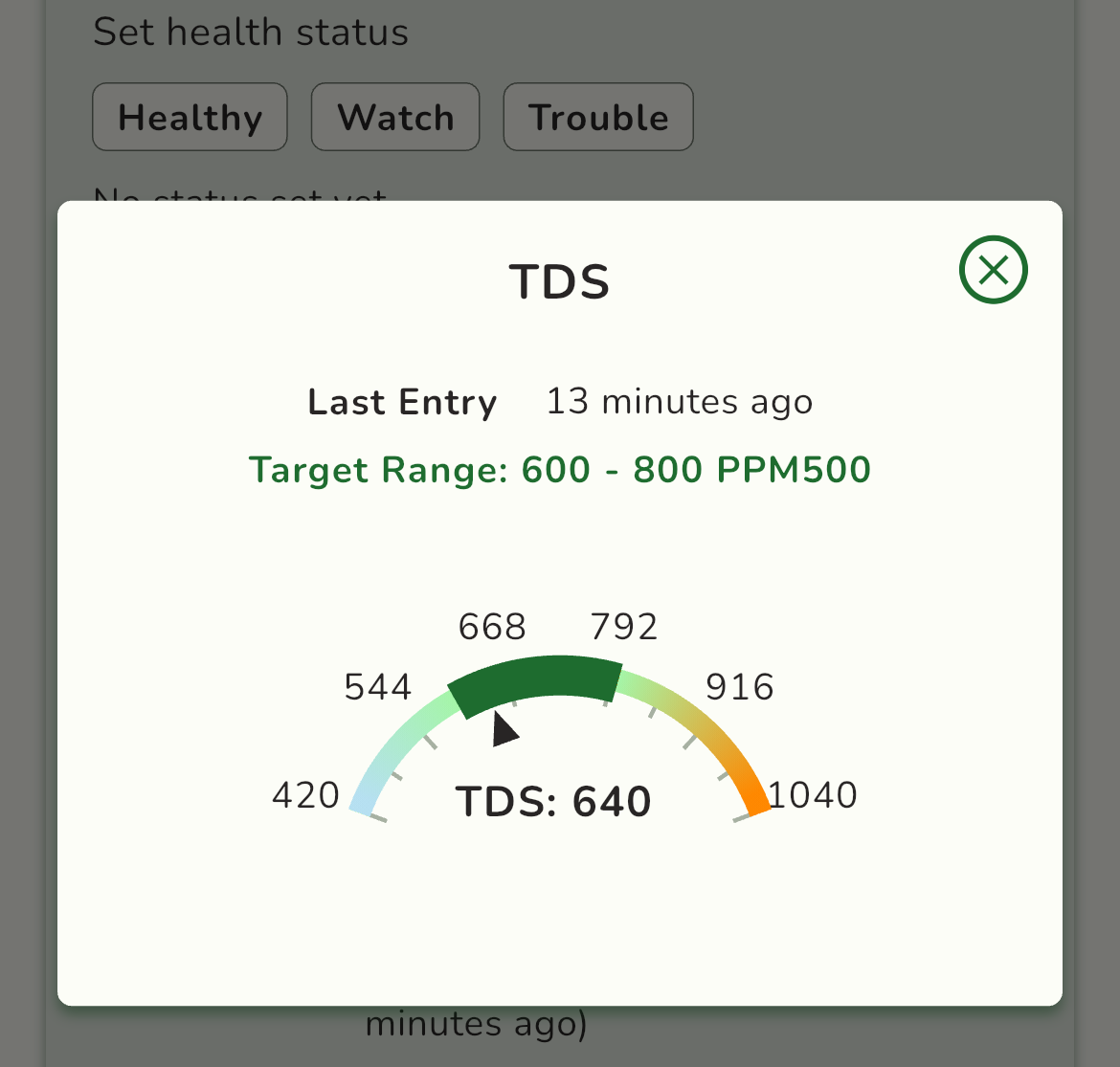
The app's TDS panel at the Vegetative stage. Target range 600–800 PPM500, reading 640, and the gauge needle inside the target band.
Stage: Vegetative
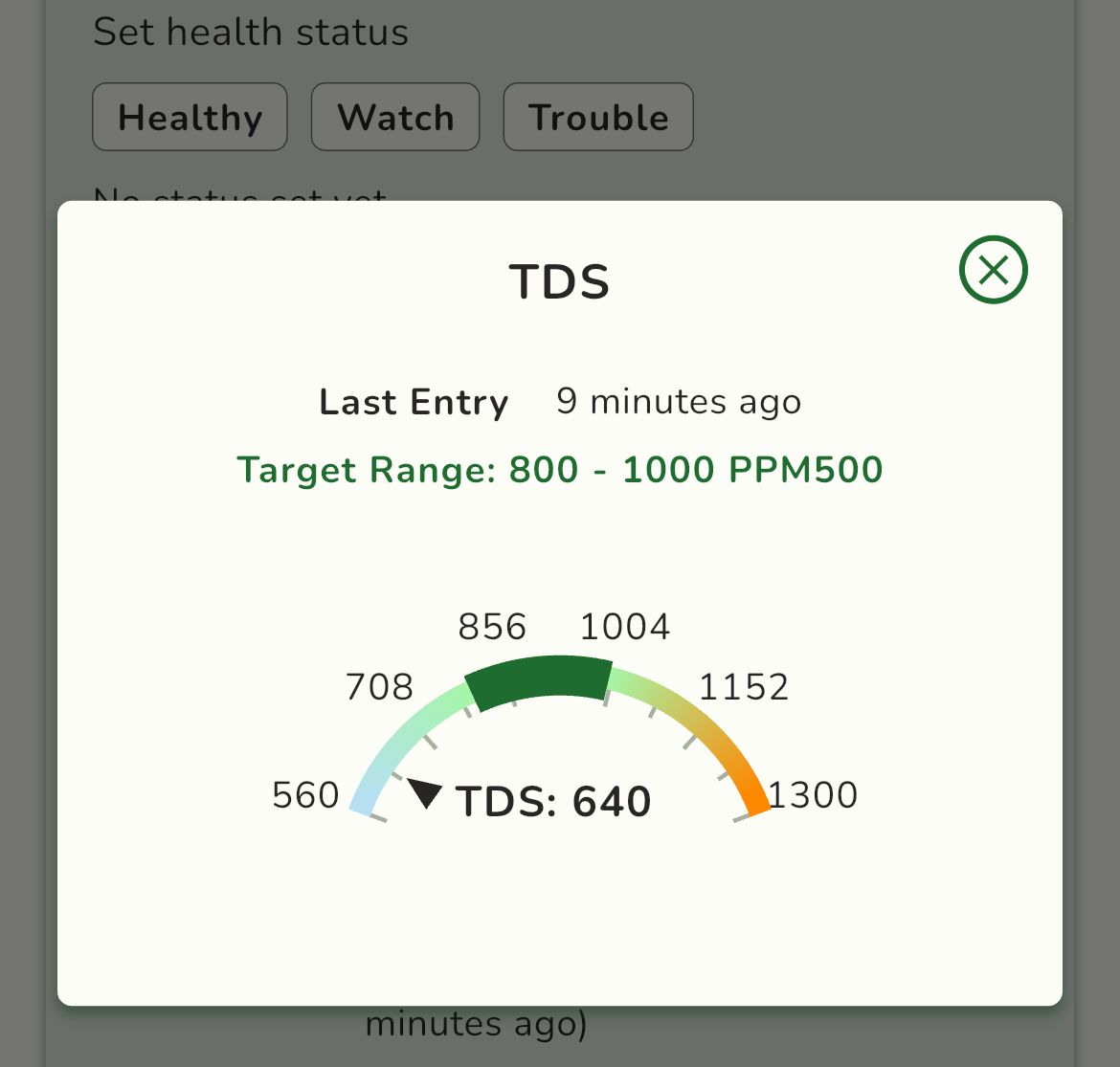
The app's TDS panel at Head development. Target range 800–1000 PPM500, reading 640, and the needle below the target band.
Stage: Head development

Same reservoir, same reading
TDS 640 in both.
Only the stage is different
The target moved with it.
2What comes back

An amount for each nutrient you're adding, in units you can measure with what's in the drawer — teaspoons and tablespoons where a spoon fits, cups where the amount is larger, millilitres where no spoon is close enough.

It checks before it rounds: the nearest mark in the drawer has to land within about a tenth of the real amount, or you get the millilitres instead. We'd rather give you a number that looks unfamiliar than one that looks familiar and is wrong.

One more thing comes back: the reading you should get once it's all in. That's a prediction rather than an instruction — and your next reading either matches it or it doesn't.

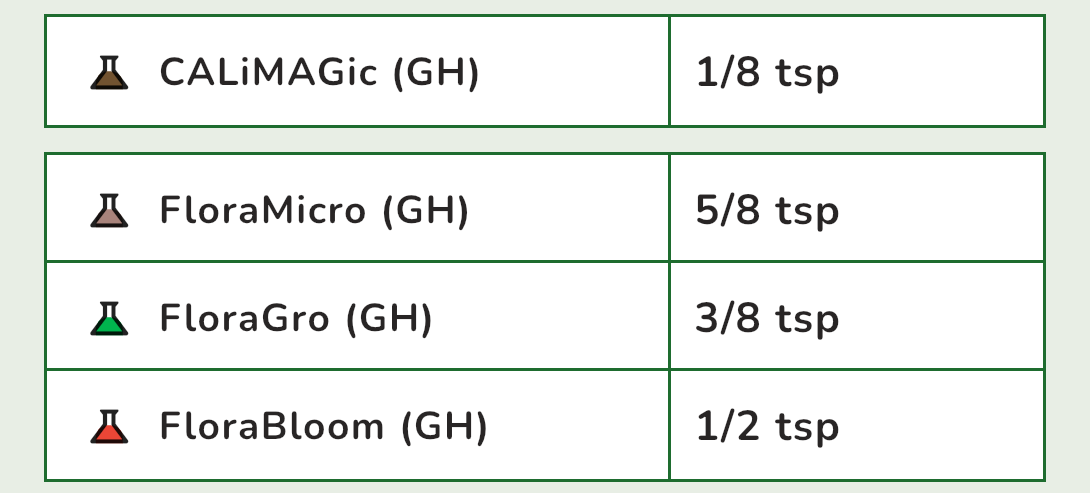
A screenshot of the app's own feed list: one row per nutrient, each with the amount to add beside it in teaspoon fractions.

Teaspoons where a spoon fits — in this feed, every amount did.

3Where the numbers came from

Not every number in the answer is one you took. Some are yours, some carry over from last time, and some are a default we started you on until you measure — and it tells you which, on the same screen as the answer.

Two of those change what you should trust, so they get said out loud: a reading old enough to be stale, and a water profile it had to fall back to a default for. Both are still the best available number. You'd want to know they weren't measured.

Stale isn't only about time. Top the reservoir up or flush it, and the reading you took before isn't describing what's in there now — whatever its timestamp says.

And the water profile does more than it looks. Your water isn't treated as empty: whatever it already carries counts toward the target, and the feed makes up the difference, so you aren't adding calcium the water already brought with it.

Measured is narrower here than it sounds: your water's calcium and magnesium both come from a single TDS reading — the amount is yours, the split between them is ours.

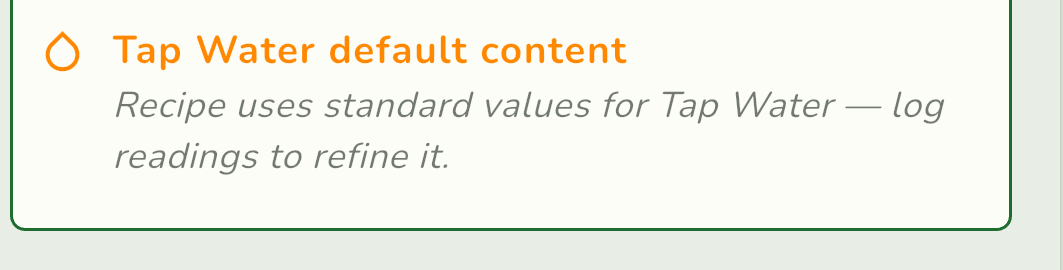
A flagged row from the app's recipe screen. Its heading reads "Tap Water default content", and beneath it: "Recipe uses standard values for Tap Water — log readings to refine it."

Where a number wasn't measured, the screen says so — here, the water profile.

4When it's off

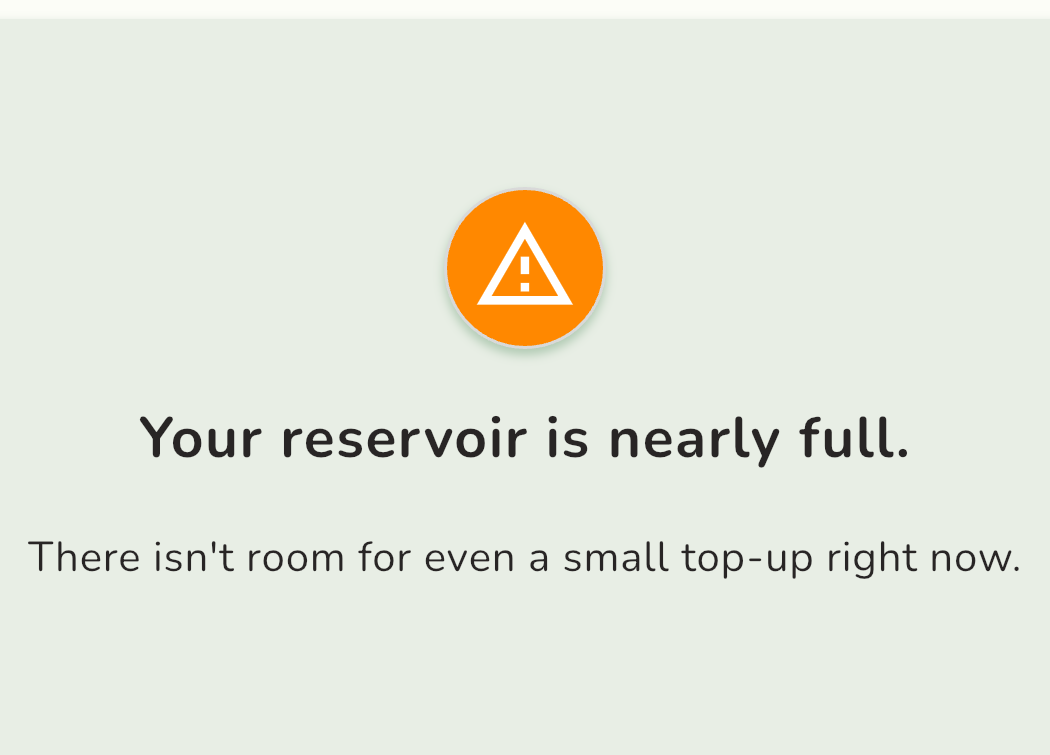
Sometimes the answer is nothing to add. The only thing that brings a reservoir down is water, so when there's no room left to put any in, there's no correction to make — and that is what comes back. It's still an answer, and it's the honest one.

The rest of the time you get a correction worked out from where you actually are, not a fresh mix from zero. Which way it goes depends on which way you're off: under target, more of something; over target, water, as much as the room left in the tank allows. Take another reading and it works the next one out the same way.

A screenshot of the app's no-room state: an orange warning icon above the heading "Your reservoir is nearly full." and the line "There isn't room for even a small top-up right now."

There is no room left to put water in — so there is no correction to make.

Start free for 7 days

Take a reading. See the working.

Seven days of full access, no payment method.

Download on the App Store Get it on Google Play